Self-hosted · Claude Agent SDK · MIT
Run Claude agents on a kanban board — and watch them work from your phone.
Cardloop is a self-hosted, mobile-first cockpit where every kanban card is a Claude agent run. Drop a card, and your home server ships the code, docs, or ops task autonomously — powered by the official Claude Code engine with your own Anthropic account. Install it on your phone's home screen as a PWA and steer your projects from the couch.
What it is, in three ideas
One operator running many projects who isn't always at a desk. The board is the agent's memory — work lives where it can be reconciled against real commits, not in a chat log that scrolls away.
Pocket DevOps — mobile-first PWA
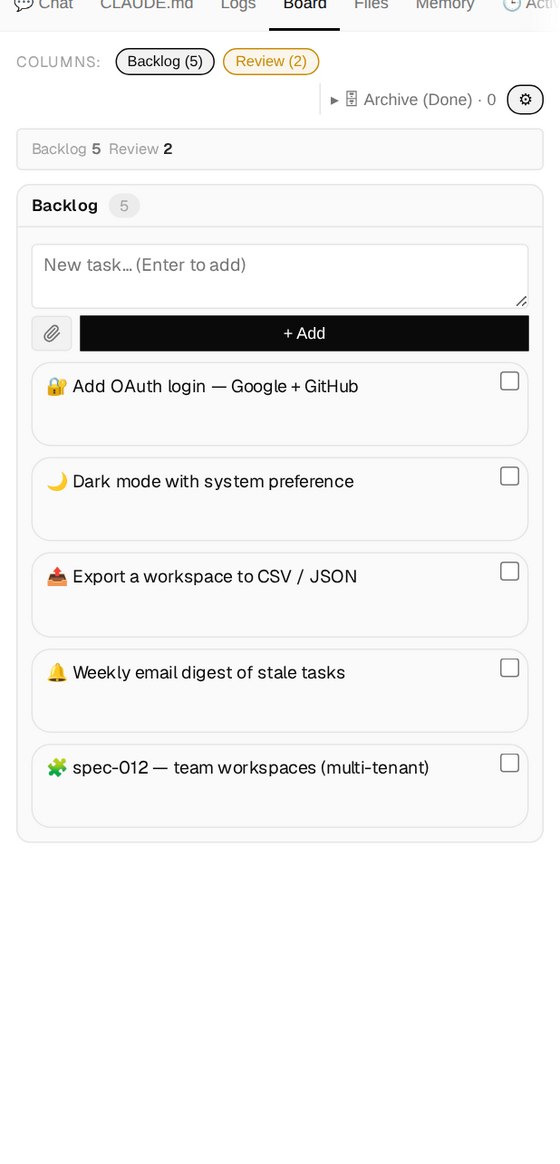
Not “responsive” — installable. Add it to your home screen and run agents from your phone: live SSE streaming, reconnect on wake, safe-area layout, pinch-zoom, plus an interactive PTY terminal. The phone is the primary surface, not an afterthought.
Claude-native, no middleman
Cardloop doesn't reimplement an agent — it drives the official Claude Code CLI / Agent SDK on your own host, with your own Anthropic account: a Claude Console API key, or your personal claude login for individual use. No SaaS in the middle, no per-seat markup, nothing sent anywhere.
Cards that code — safely
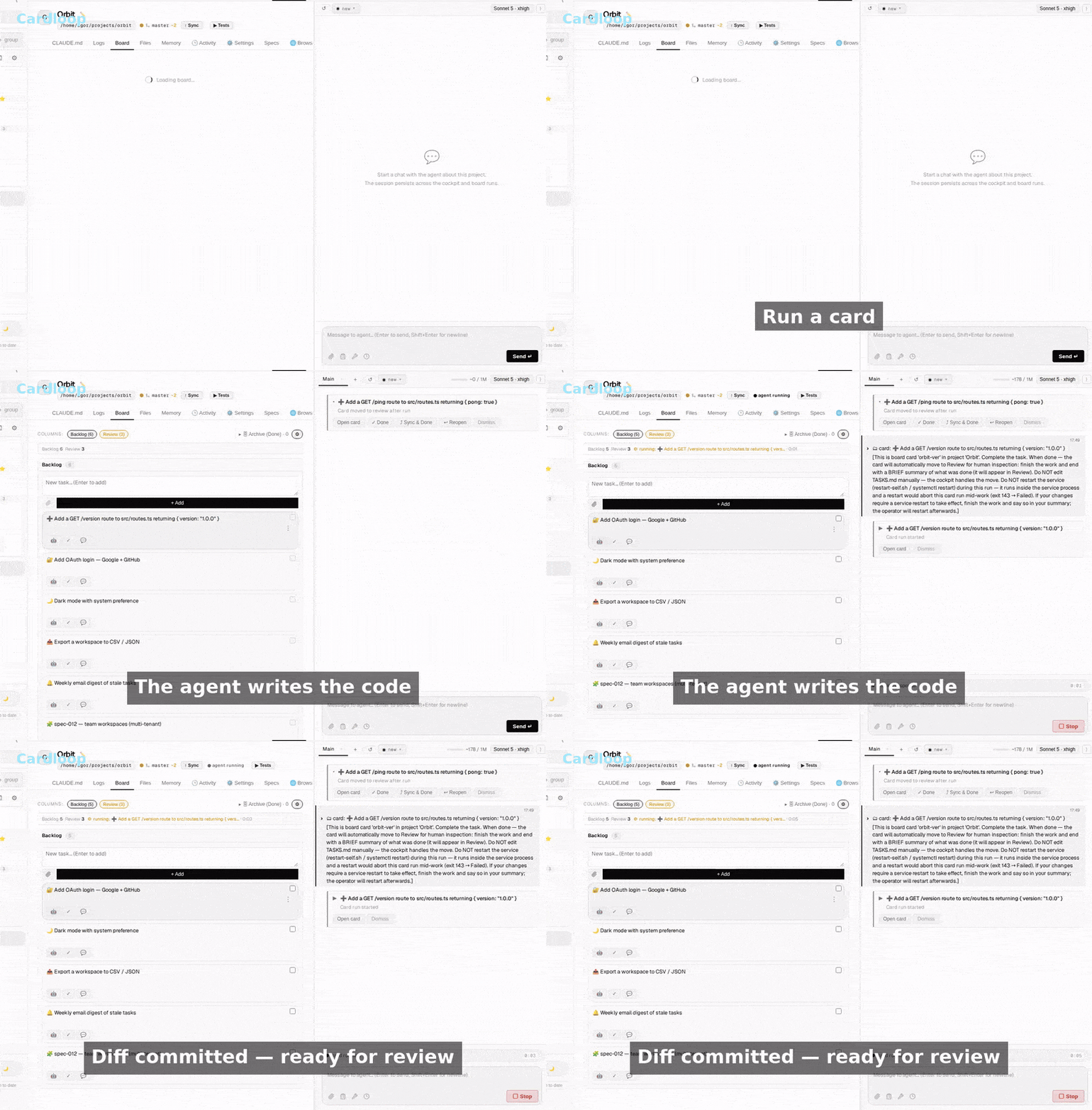
A card's task text becomes the agent prompt. Moving a card to In Progress runs the engine in an isolated git worktree, attaches the diff, and lands the card in Review behind a Check / Apply / Discard gate — your working copy is never touched until you merge.
The loop: a card is an agent run
- 1 Add a card to the board — TASKS.md in your repo
- 2 Drag it to In Progress
- 3 run_engine() drives the Claude Agent SDK in an isolated git worktree
- 4 Result + git diff are attached to the card
- 5 Card lands in Review (or Failed) and you get a ping
- 6 You Check (run tests) → Apply (merge) or Discard
Two channels, one engine
One transport-agnostic run_engine()
generator feeds every channel. Whatever you do — type in the cockpit or move a card —
runs through the same engine, against the same session, and updates the same board.
Cockpit — the PWA
A browser IDE: Overview, Board, CLAUDE.md, Terminal, Logs, Files, and Memory tabs beside a persistent CLI-style chat — SSE streaming, tool rendering, model switch, prompt library, real interrupt.
Kanban auto-run
Moving a card to In Progress triggers the same engine headlessly — the result is written back to the card, which lands in Review or Failed, then pings you.
Everything a full-auto board needs
Every card below corresponds to something the project actually ships — no roadmap items, no "coming soon."
Kanban-as-a-runtime
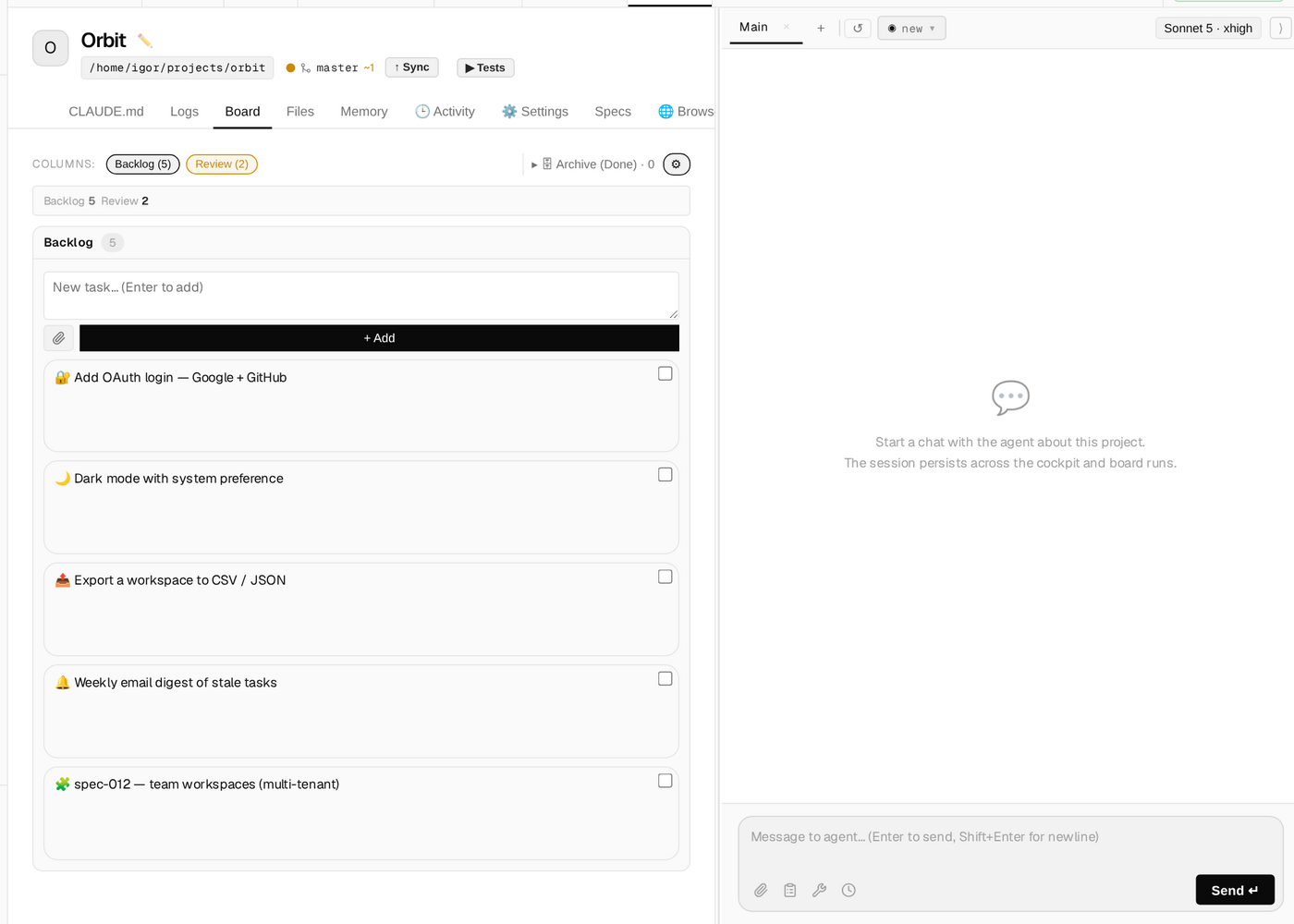
TASKS.md in your repo is the board. Sections are columns, lines are cards. The agent reads and writes it every turn and reconciles it against real commits after each run.
Full-auto card runs
Drag a card to In Progress; the engine runs the task, attaches the result and git diff, and moves it to Review or Failed — then pings you.
Isolated worktree runs + review gate
Each card runs on its own git-worktree branch. Check runs the test suite for a safe/risky verdict, Apply merges with --no-ff, Discard trashes the branch — your working copy stays untouched until you merge.
Deferred runs, auto-resume
Hitting Claude's usage limit doesn't abort the run. Cardloop suspends it, polls the quota, and resumes automatically once the limit resets.
Mobile-first installable PWA
Home-screen install, offline-aware SSE reconnect, touch-optimized dark UI, plus a bidirectional WebSocket PTY terminal with OSC 52 clipboard for pasting an OAuth link from your phone.
Live agent-driven browser pane
A real browser embedded in the cockpit that the agent drives and you watch live — and co-drive from desktop or mobile. Built-in Chromium, a free CloakBrowser stealth tier, or an external CDP profile. Read-only by default.
CLI-style chat
Tool rendering for Bash / Edit / Read / Write with diffs, on-the-fly model switching, a message queue, a prompt library, and a real interrupt.
Run-finished notifications
A browser notification when a run completes, click to jump to the project. In-app when the tab is open, Web Push when the app is fully closed, with de-dup so you never get both.
Bring your own Claude
The engine drives the official claude binary under your own auth — a Claude Console API key, or your personal subscription login for individual use. Cardloop never extracts, stores, or transmits your tokens.
Multi-project cockpit
Explicit projects, each with its own working directory, model, persistent session, and board.
Production-grade internals
A per-project secrets vault (chmod 600), a gate on destructive commands, double path-traversal defence, and single-operator auth with optional TOTP.
Always-on self-hosted service
Run it as a systemd service or in Docker, reachable over HTTPS or a Cloudflare Tunnel — your host, your uptime.
Self-host it
Setup time: about 3 minutes. Clone, run install.sh,
claude login, set a password.
# 1. Clone
git clone https://github.com/igdigitallab/cardloop.git && cd cardloop

# 2. Install (venv + deps + .env scaffold + frontend build) — idempotent
./install.sh                  # or: make install

# 3. Authenticate — pick ONE
claude login                  # personal use: your own Claude subscription
#   — or — for teams/commercial: CLAUDE_AUTH_MODE=api_key + ANTHROPIC_API_KEY in .env

# 4. Set your password
#    edit .env → WEB_PASSWORD=...

# 5. Run
venv/bin/python bot.py        # Cockpit → http://localhost:8787

# 5b. Reach it from your phone right now — no account, no DNS, no config
venv/bin/python bot.py --tunnel# claude login on the host first, set WEB_PASSWORD + WEB_COOKIE_SALT in .env
docker compose up --build # cockpit-only
By default the cockpit listens on localhost only. To reach it from your phone or away
from home:
a quick --tunnel , a private Tailscale IP, or a named
Cloudflare Tunnel on your own domain.
Requirements
- Python 3.11+
- and Node 20+
- Claude Code CLI
- curl -fsSL https://claude.ai/install.sh | bash
- A Claude account
- Console API key, or your personal claude login
Cardloop is orchestration software — it spawns the official claude binary
on your own host and never touches your OAuth tokens itself.
Open source, on purpose
Cardloop is an independent open-source project — not affiliated with, endorsed by, or sponsored by Anthropic. It's a large monolith being decomposed in the open, and it's Claude-only by design: that focus is what makes the deep Claude Code integration possible.
MIT License
Free to run, fork, and modify — commercially or not.
Read the license →Issues
Found a bug or have an idea? File it.
Open an issue →Discussions
Questions, ideas, and show-and-tell live here, not in issues.
Start a discussion →Contributing
Setup, tests, lint, and commit style — PRs welcome.
Read CONTRIBUTING.md →MIT · self-hosted · no telemetry